Releases
Enjoy greater visibility into connection status, progress, and history, along with more control throughout the process.

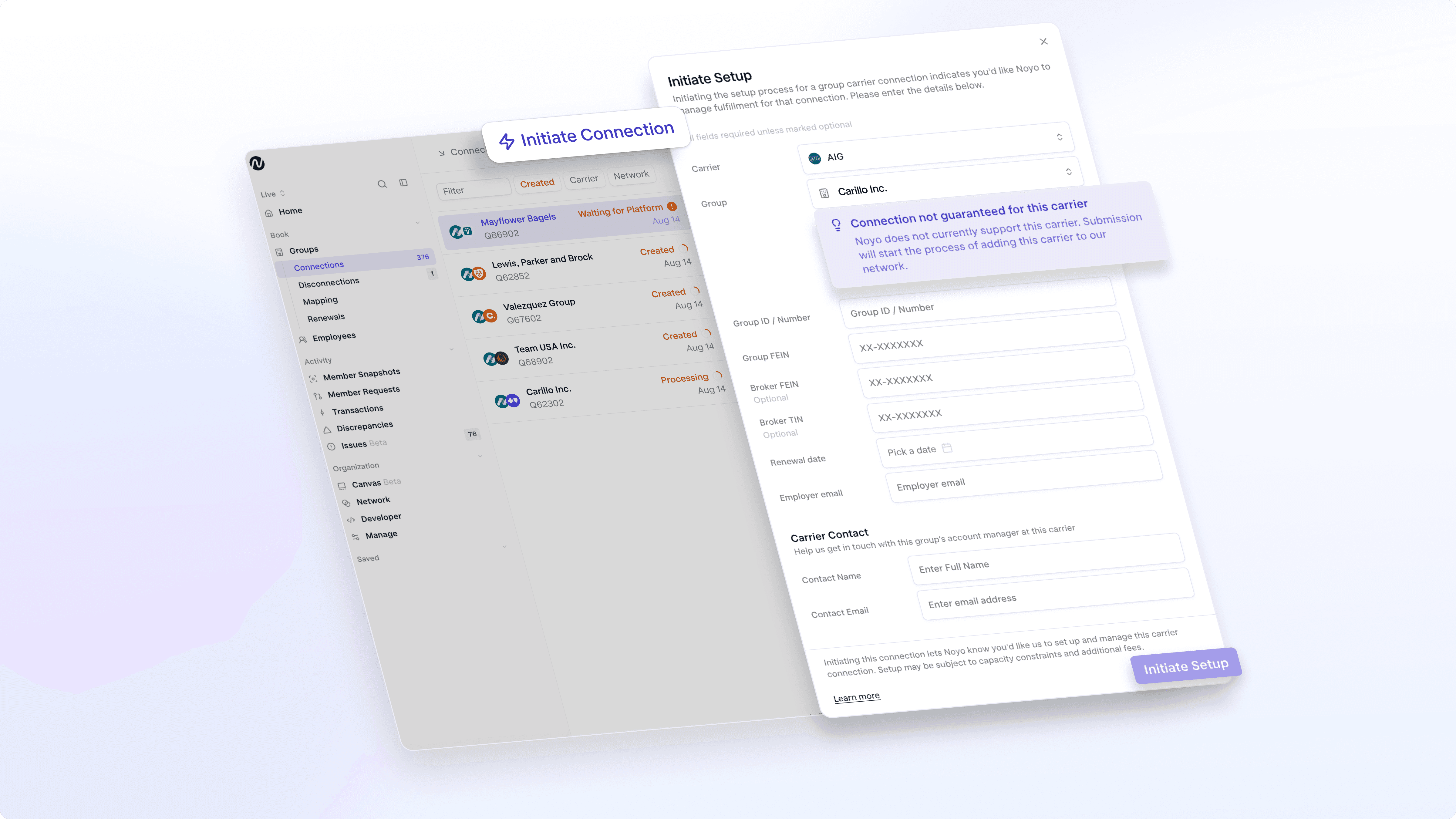
Request connections with any carrier through the Noyo App or by API
You can now request a connection with any carrier directly through the Noyo App or API. Choose from carriers already in Noyo’s network or select an out-of-network carrier to initiate a connection.
For out-of-network carriers, Noyo will first vet the request to determine whether the carrier can be supported. Once submitted, you can track the request in Noyo as it moves through the connection process, keeping everything in one place.
If a carrier you need isn’t listed, contact Noyo to have it added before submitting your request.
We’ve also streamlined the request form to capture the information needed to move your connection forward, including renewal dates and relevant carrier and employer contact details.
A clearer view of every connection’s status
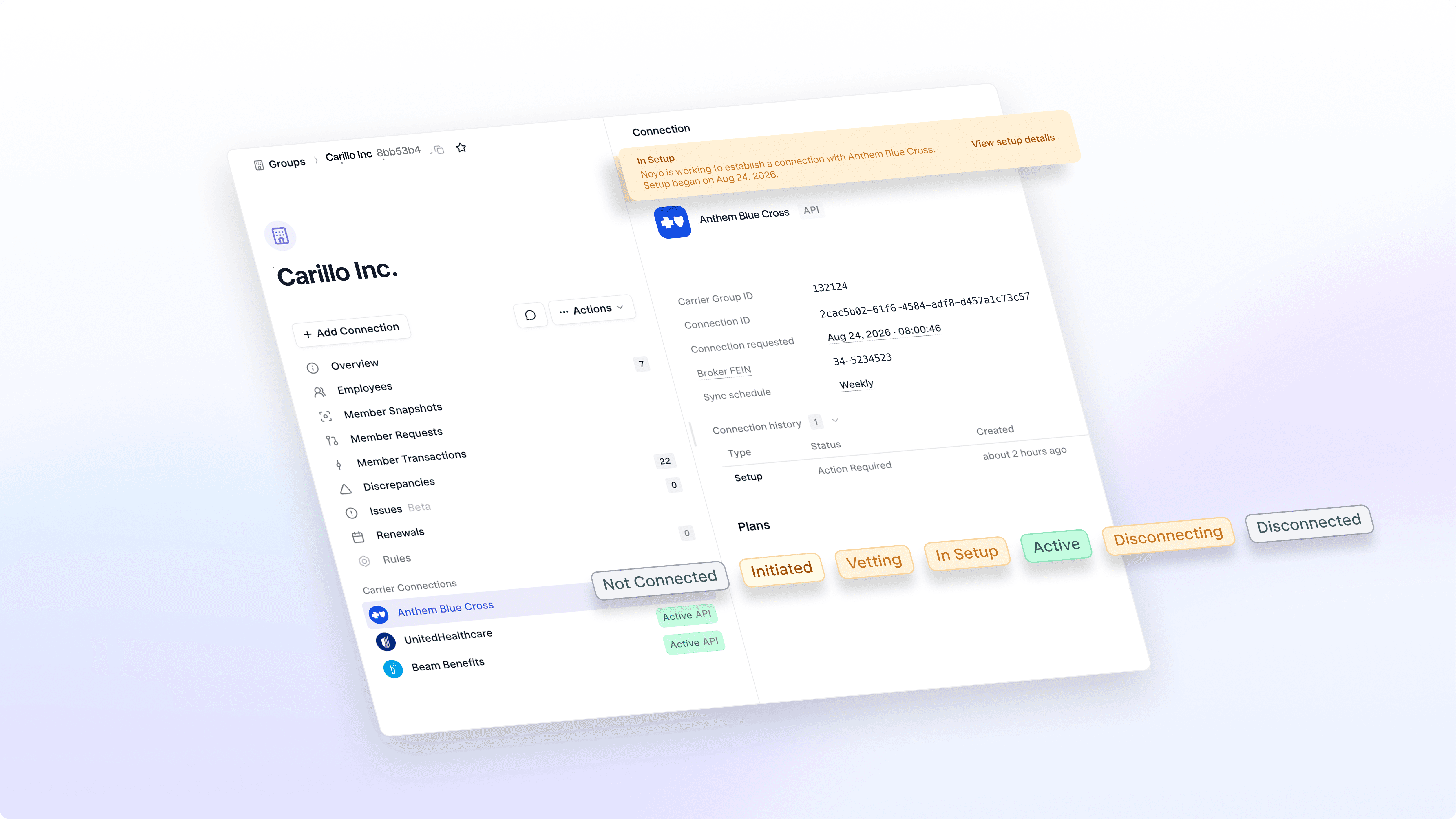
We’ve enhanced the connection lifecycle to make it easier to understand the current state of a group’s connection with a carrier.
Not Connected: The connection is not currently active.
Initiated: A connection has been requested and is waiting to begin setup.
Vetting: An out-of-network carrier is being evaluated to determine whether the connection can be established.
In Setup: The connection is actively being configured and prepared to go live.
Active: The connection is live and exchanging data.
Disconnecting: The connection is in the process of being disconnected.
Disconnected: The connection has been successfully disconnected.
The lifecycle reflects the overall state of the connection, rather than the status of a specific group setup or disconnect request. This gives you one consistent view of where the connection stands over time.
Cancel setup requests directly in the Noyo App
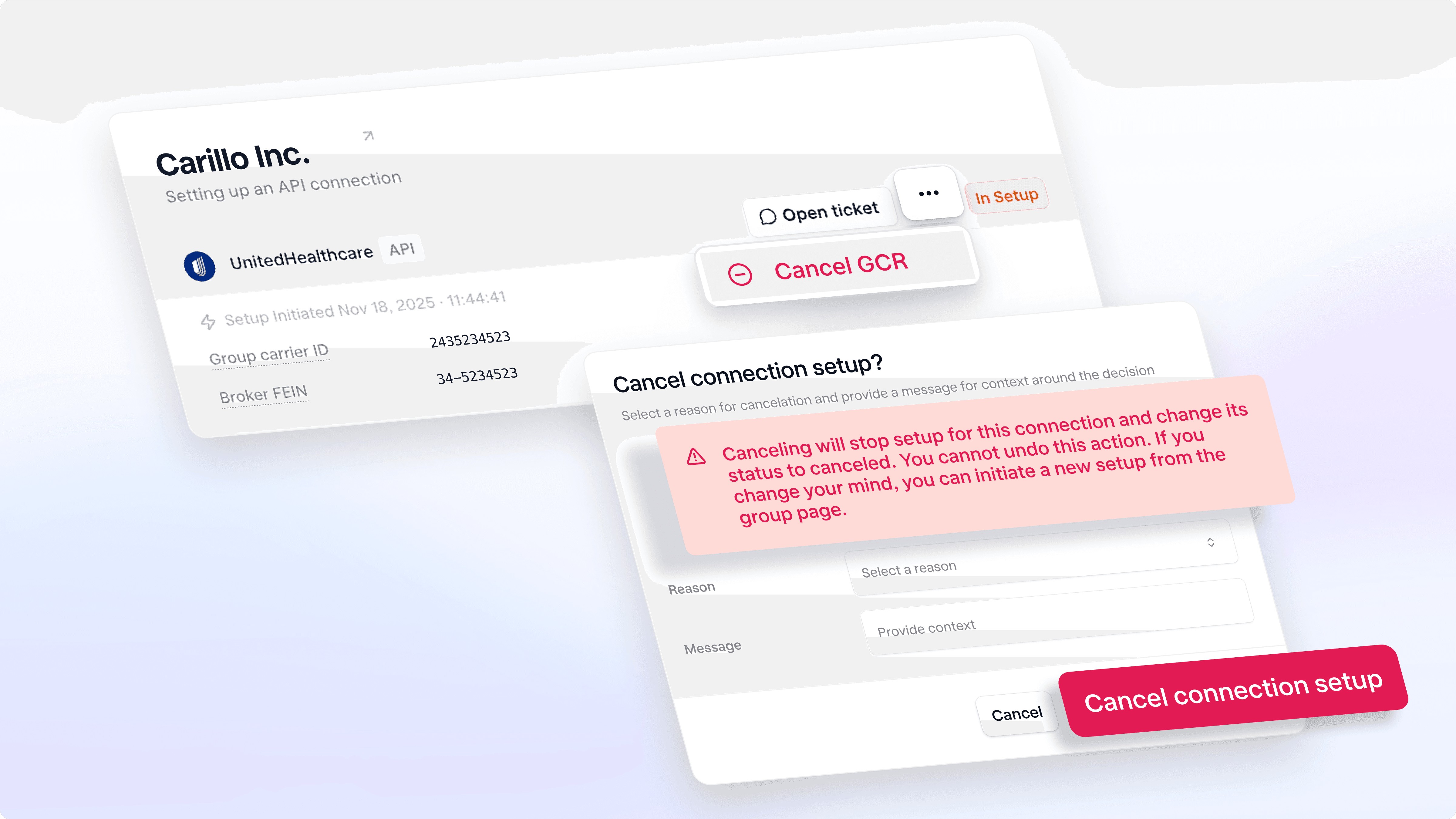
You can now cancel an in-progress setup request directly in the Noyo app—removing the need to contact the Noyo team.
Whether a carrier is no longer needed or a request was submitted by mistake, you can cancel the setup at any time. Before cancelling, you’ll see a confirmation explaining the impact. Once cancelled, the request cannot be resumed. If you need to reconnect later, simply submit a new request.
Cancelled requests remain in your connection history and are clearly distinguished from requests that could not be completed, giving you a more complete record of what happened and why.
More context for every connection
Updated banners, history, and timestamps give you a clearer view of where a connection stands, what’s happened along the way, and what comes next.
Clearer banners: New banners surface relevant context about the current state of a connection, including when a connection is initiated, in setup, or being disconnected.
More complete history: Connection views now bring setup and disconnect activity together in one history, including previous setup attempts, cancellations, and disconnections. This makes it easier to understand how a connection reached its current state.
Timestamps: Connection views now show key events, including when setup began and when syncs occur, so you have a clearer timeline of the connection.

What's next?
These updates lay the foundation for a more unified connection management experience. We're continuing to build toward clearer progress tracking, more control over workflows, and a more complete view of every connection.
Stay tuned for more updates as we continue making it easier to manage connections from start to finish.
If you do benefits, you need Noyo
The future of employee benefits is faster, easier, and more automated. Are you ready?