Releases
Issues is the easiest way to find and resolve potential problems before they impact members—one, simple workflow for any group or carrier.
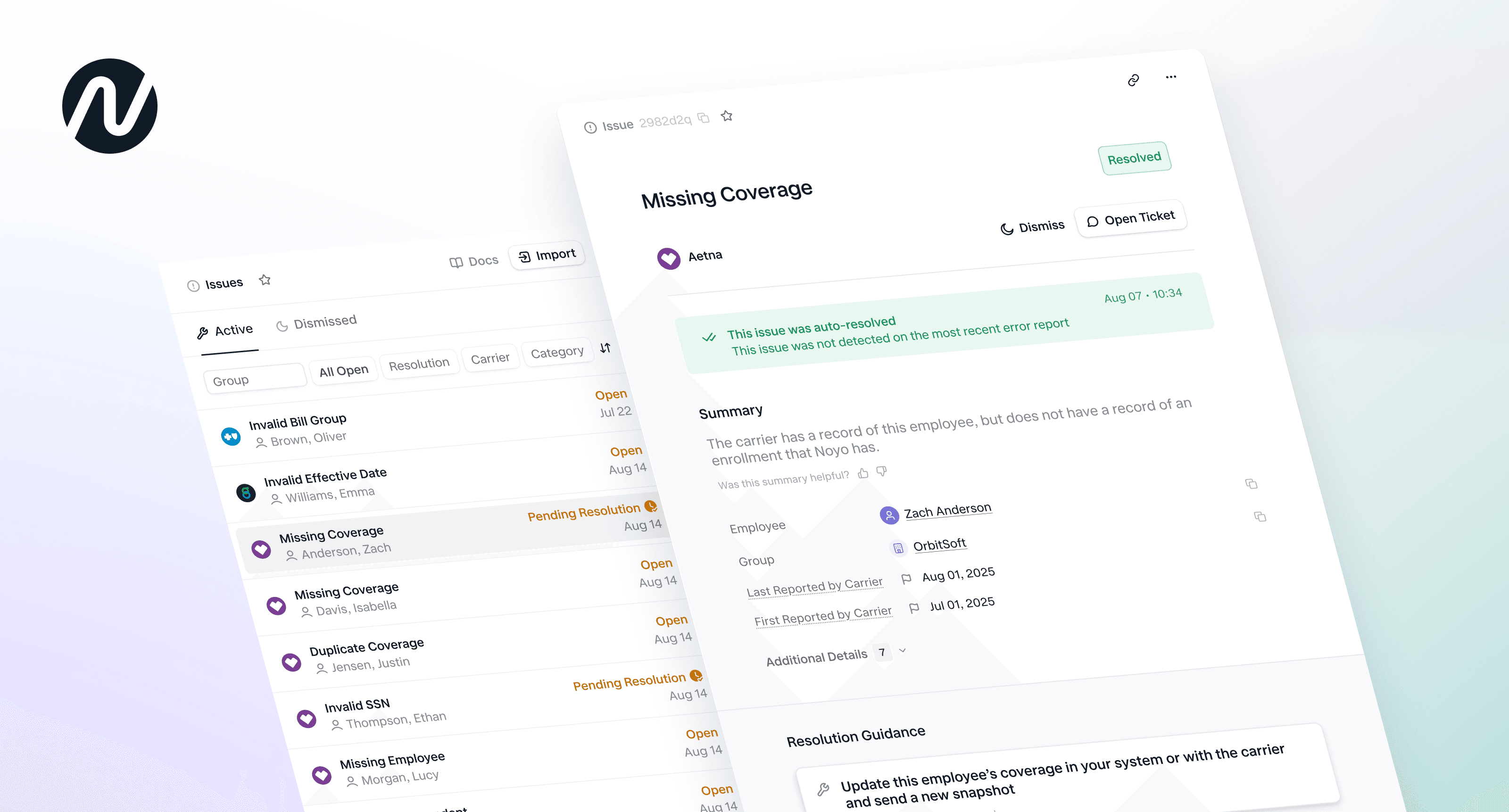
Earlier this year, we introduced Issues to make it easy for ben-admins to catch and resolve problems before they impact coverage. Each Issue brings together the full story—what happened, who it affects, and exactly how to resolve it—giving teams a simple, unified workflow for any group or carrier.
Today’s release makes the Issues experience broadly available via our API and within the Noyo app. It also adds more intelligence and automation to each step.
Issues can originate from a variety of sources. Currently, we detect Issues by analyzing EDI error reports, but that is just the beginning. Support is rapidly expanding to include carrier APIs, data validations, full system syncs, and more.
Read on to dive into the latest updates or take the self-guided tour below.
What’s new
This release brings sharper structure, expanded automation, and deeper insights across the lifecycle of an Issue. Highlights include:
Broad support and availability. The experience is out of Beta and ready for any ben-admin that wants to improve reconciliation workflows.
AI-powered context—auto-categorization, summaries, and resolution guidance turn cryptic carrier messages into actionable insights.
Smarter lifecycle logic provides end-to-end tracking, timeline, member association, and automatic resolution.
Improved visibility across orgs, groups, and employee profiles, so the right context is always at hand.
Streamlined support with the ability to add notes, create tickets, and track conversations.
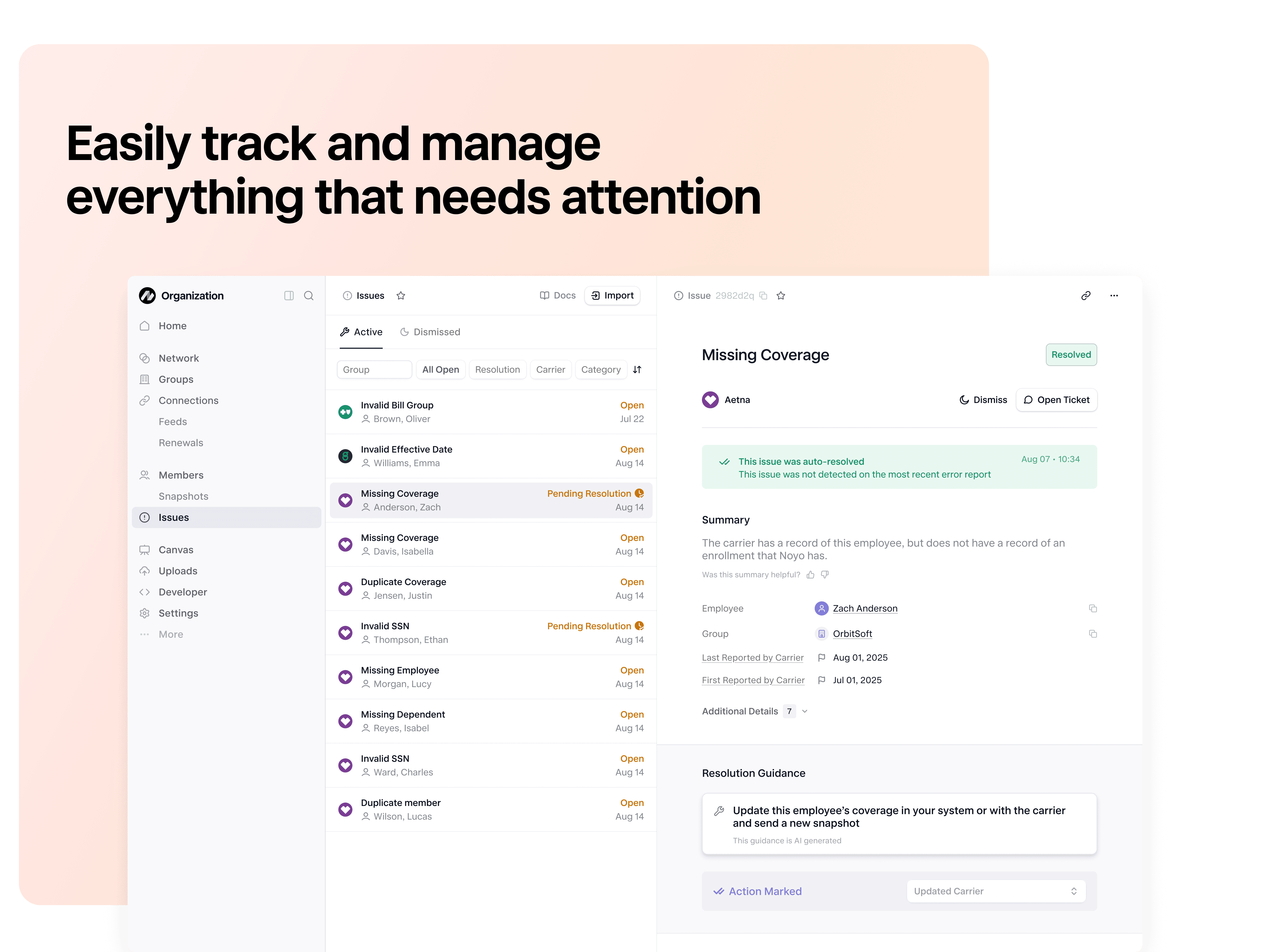
How Issues are created
Error reports received from carriers can be uploaded directly in the Noyo app. Once submitted, Noyo processes the report, identifies each Issue, and translates to a standard, easy-to-action format matched to the appropriate employee or dependent. Users have rich, AI-powered insights, tracking, and automation built-in.
The anatomy of an Issue
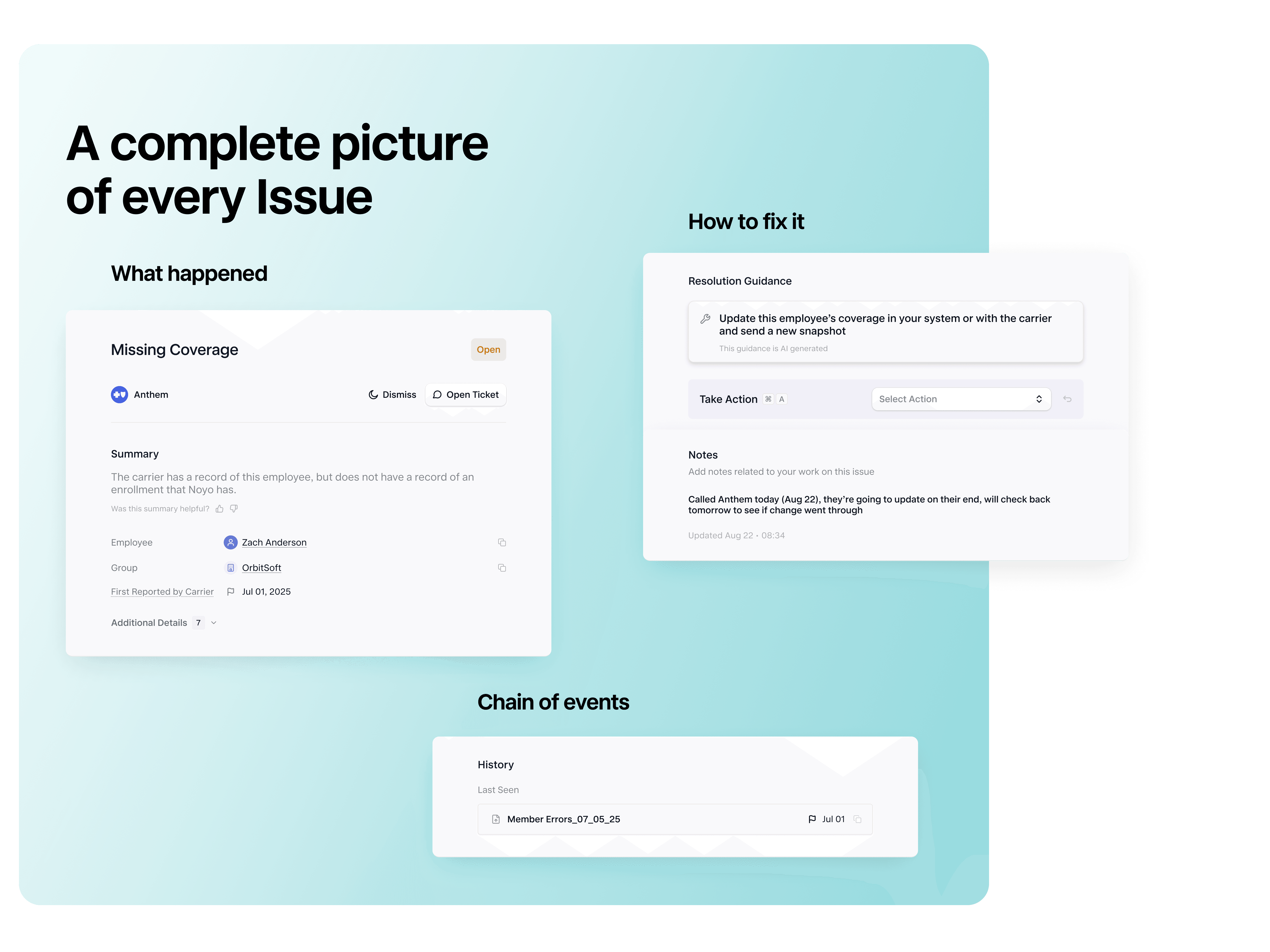
Each Issue is designed to give users exactly what they need to understand the problem and take action:
Category – A clear, AI-assigned label (e.g., invalid address, coverage date conflict, duplicate member, etc.)
Issue Summary – A brief, human-readable explanation of what happened and why it matters
Resolution Guidance – Actionable steps, including carrier-specific considerations when relevant. Add notes for easy collaboration
Linked Members – Automatic matching to employees or dependents using available identifiers
History – A record of all previous appearances of the Issue
Viewing Issues
The updated interface makes it easy to find, assess, and prioritize outstanding Issues wherever you work in the app:
List View – A view across all employers with filters for carrier, category, status, and action
Group-Level View – Visibility into Issues affecting members of a specific employer group
Employee Page – Open Issues appear at the top of the employee’s profile for immediate context
Detail View – A complete picture of the Issue’s summary, category, guidance, affected members, and history
Managing & resolving Issues
This release makes it easy to get full context, take action, and monitor progress. Noyo automatically tracks each issue to completion, preventing duplicates and auto-resolving issues once no longer reported in the carrier system.
Taking action
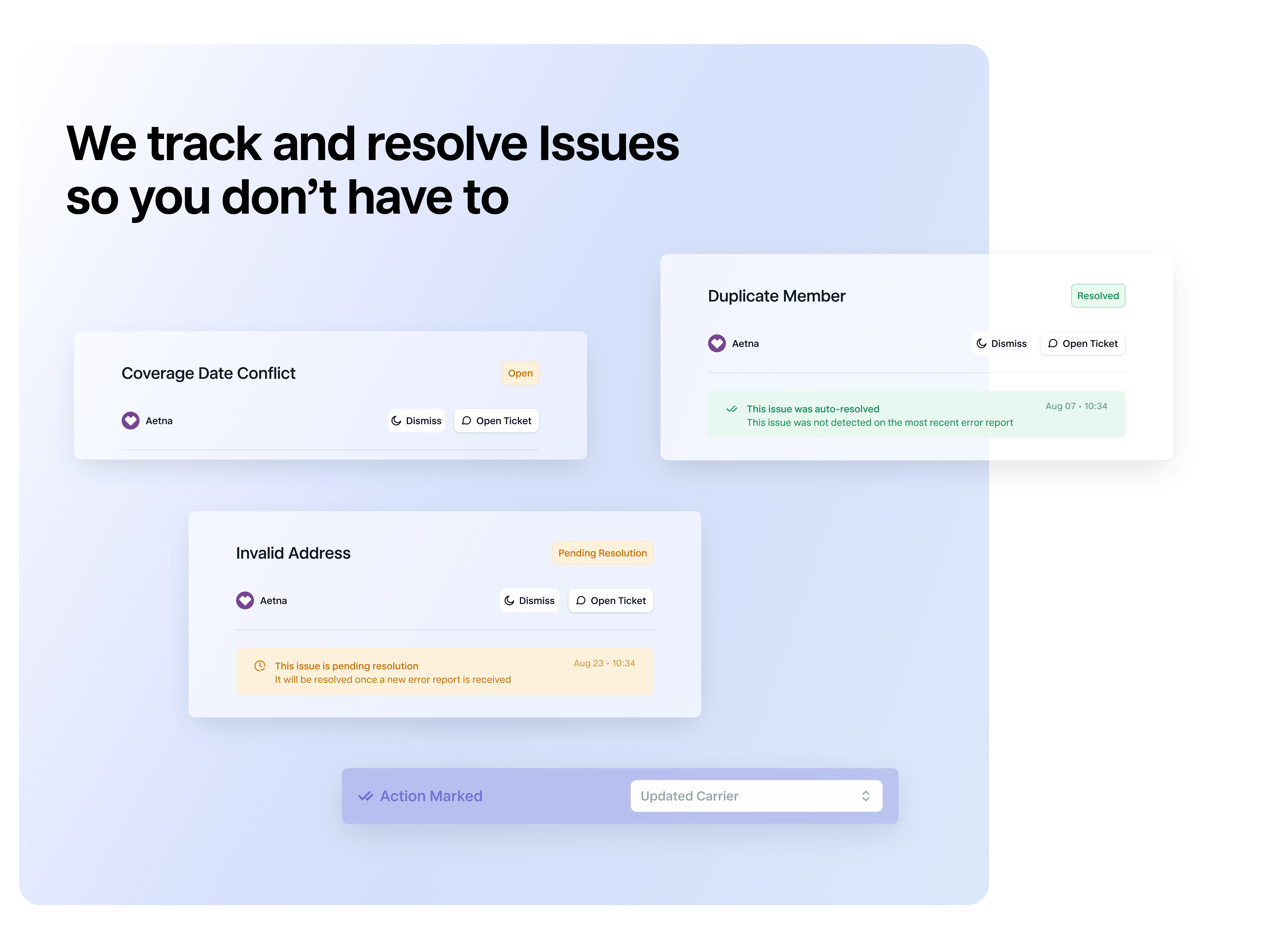
Users can record the steps they’ve taken—such as updating data or contacting a carrier—which moves the Issue into a Pending Resolution state. Noyo then checks future error reports to confirm whether the issue was resolved.
When an Issue doesn’t require action, users can dismiss it to reduce noise. Dismissed Issues remain accessible in a separate view and will resolve automatically once the carrier stops reporting them.
Smart lifecycle tracking
Issues behave predictably and cleanly over time:
If the same problem appears again, the existing Issue is updated, not duplicated
If the problem disappears, the Issue is automatically resolved
If a resolved problem reappears later, a new Issue is opened to reflect the new occurrence
This ensures users always have an accurate, up-to-date view of what still needs attention—without manual cleanup.
Embedded support
If additional investigation is required, users can open a Noyo support ticket directly from the Issue, with all relevant context already visible to our team.
What’s next
We’re building toward a fully-automated, AI-powered experience across all sources—one, unified place to identify and prioritize anything that needs attention. To ask questions or request a demo, reach out here.
If you do benefits, you need Noyo
The future of employee benefits is faster, easier, and more automated. Are you ready?