Releases
Issues now automatically generate from Snapshot Fulfillment Summary errors, enabling ben-admins to track and resolve carrier-specific enrollment problems faster.
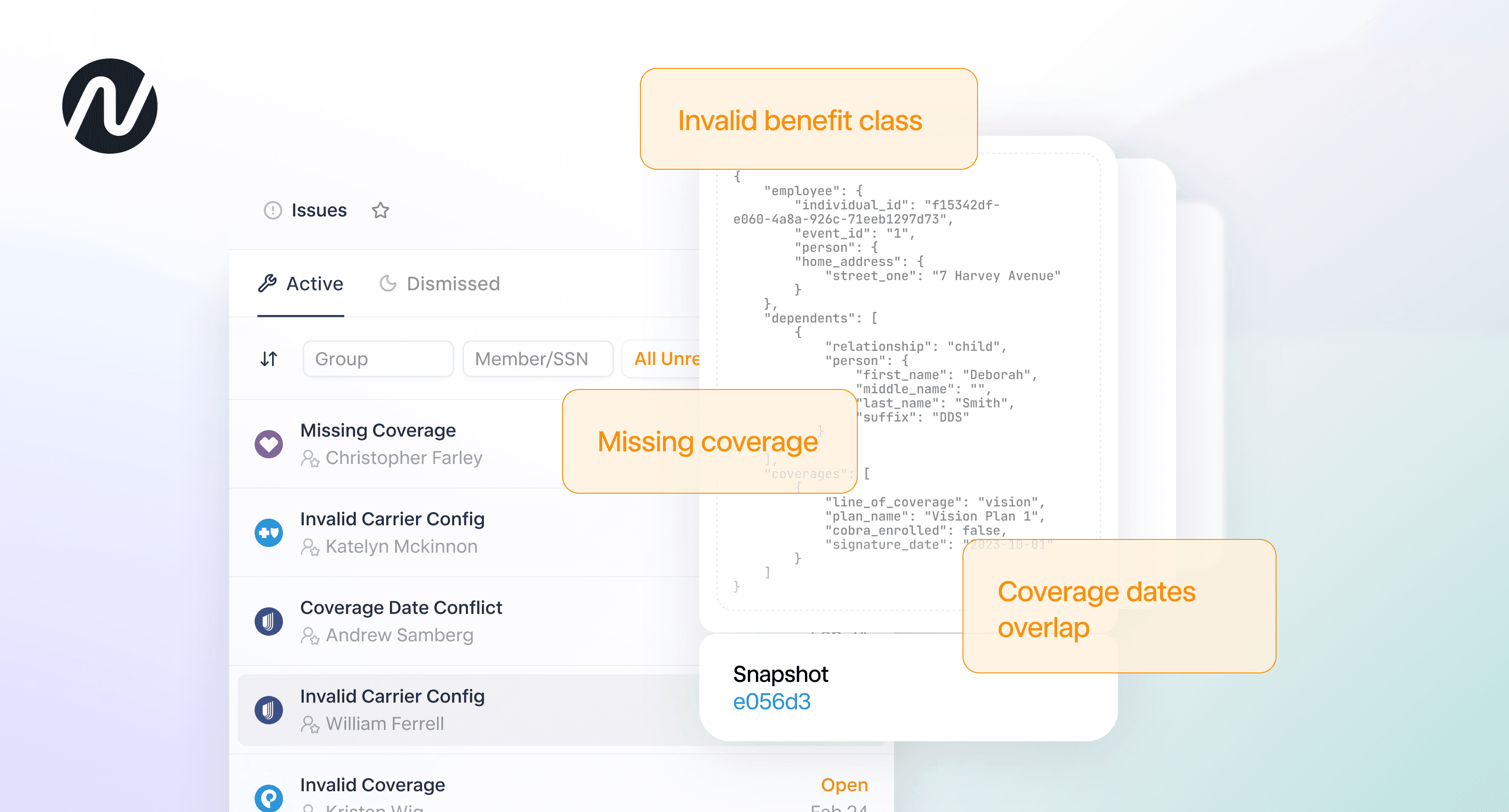
Noyo Issues is how our system surfaces enrollment problems to ben-admins across many different sources—EDI error reports, carrier API errors, tracking/confirmations, and more—one, consistent workflow for everything that needs attention.
This release expands that coverage by generating Issues directly from the upfront validations Noyo runs when data is submitted to our API.
Issues are now automatically created when an invalid request is made to any carrier in our network—making it easier to identify, track, and resolve carrier-specific enrollment problems.
Need a refresher on Issues? Take a quick tour.
What’s new
When a request to submit data to one or more carriers is invalid, Noyo surfaces the relevant errors in the Snapshot Fulfillment Summary and creates Issues based on the underlying causes we detect.
Because these upfront validations are expansive, ben-admins can address a broad set of enrollment problems without interpreting raw errors or building workflows to make errors actionable.
Like Issues generated from other sources—EDI error reports, API errors, round-trip confirmations, etc—each Issue brings together the full story in a standard format: what happened, who it affects, and how to resolve it.
What is Snapshot Fulfillment Summary (SFS)?
When enrollment changes are sent, they often include updates across multiple carriers. Noyo runs validations to ensure the data aligns with each carrier’s rules, as well as global requirements to maintain data integrity. In many cases, these validations fail for one carrier while succeeding for others.
Instead of treating a multi-carrier request as a single pass/fail outcome, Snapshot Fulfillment Summary shows what happened for each carrier individually—valid changes can proceed while only the problematic ones are flagged.
For example, if a validation fails for Carrier A but the data for Carrier B and Carrier C is valid, Noyo will process what it can and return targeted errors for Carrier A in the Snapshot Fulfillment Summary (SFS). These errors are visible in the response body of a Snapshot and in the Noyo app on any Snapshot page.
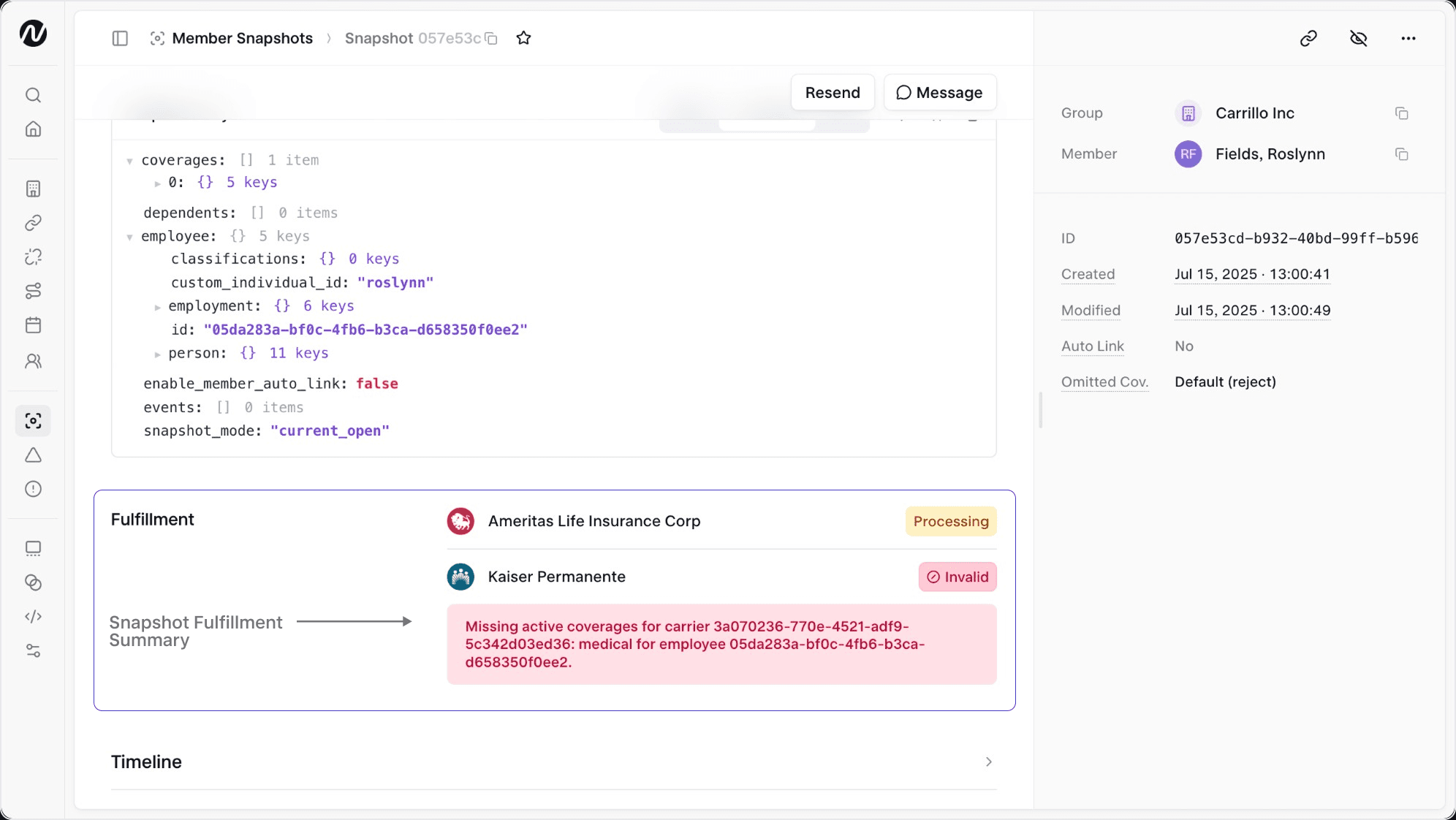
In short, SFS enables partial fulfillment across carriers instead of forcing an all-or-nothing rejection of a Snapshot via a 422 response.
With this release, Issues can be used to track and resolve SFS errors within a clean reconciliation workflow.
Note: Noyo does not generate Issues from 422 failures. Issues are only created from errors returned within the Snapshot Fulfillment Summary. For teams using the legacy 422 model to reference validation errors, we recommend adopting SFS, which provides flexible multi-carrier processing, more structured error details, and integrates directly with Issues.
How Issues from SFS errors are created and resolved
We reviewed the validations Noyo performs during snapshot processing and identified scenarios where errors can be tied to a specific member and directly actioned by a ben-admin.
For those scenarios, Noyo now creates or updates an Issue automatically. Each Issue is linked to the relevant member, group, and carrier, with clear guidance on how to resolve it.
Issues resolve when a new Snapshot is submitted and the original validation error is no longer present. As with other Issue sources, duplicate Issues are not created—instead, each instance is recorded in the Issue’s history.
The following are categories of enrollment problems covered by this release. For the full list across all Issues sources, see our docs.
Enrollment Conflict — Multiple records for the same member or plan, or missing required coverages, create an inconsistent request
Invalid Volume — Volume values are included for coverages that don’t support them
Missing Coverage — Expected active coverages are omitted without proper termination or handling
Invalid Coverage — A plan or coverage can’t be identified, mapped, or matched to group configuration
COBRA Status Conflict — COBRA enrollments are submitted for carriers that don’t support them
Invalid Carrier Config — Submitted data doesn’t match required carrier configuration (IDs, classes, bill groups, eligibility, or plan availability)
Coverage Date Conflict — Coverage dates overlap, conflict, or violate carrier rules
Event Conflict — Employment or lifecycle events don’t align with coverage data or required dates
How to think about SFS and Issues together
Snapshot Fulfillment Summary and Issues serve different but complementary roles.
SFS is the source of truth for what happened when a snapshot was processed—it provides real-time visibility into carrier-level outcomes.
Issues build on that foundation by introducing a system of work. They take errors surfaced in SFS and turn them into detailed, trackable items that persist until resolved.
Issues doesn't replace SFS, as there are data validations that do not trigger an Issue. However, the most common scenarios are covered by Issues so we recommend focusing on Issues and referencing SFS when additional insight is needed.
A helpful way to think about it:
SFS → Understand what happened for each carrier (system output)
Issues → Track and resolve problems in a consistent workflow (reconciliation)
Learn more
You can dive deeper into Issues in the interactive tour or reach out for a demo.
If you do benefits, you need Noyo
The future of employee benefits is faster, easier, and more automated. Are you ready?