Releases
The Field Guide brings enrollment problems into focus by highlighting the exact missing or invalid data that needs to be corrected.
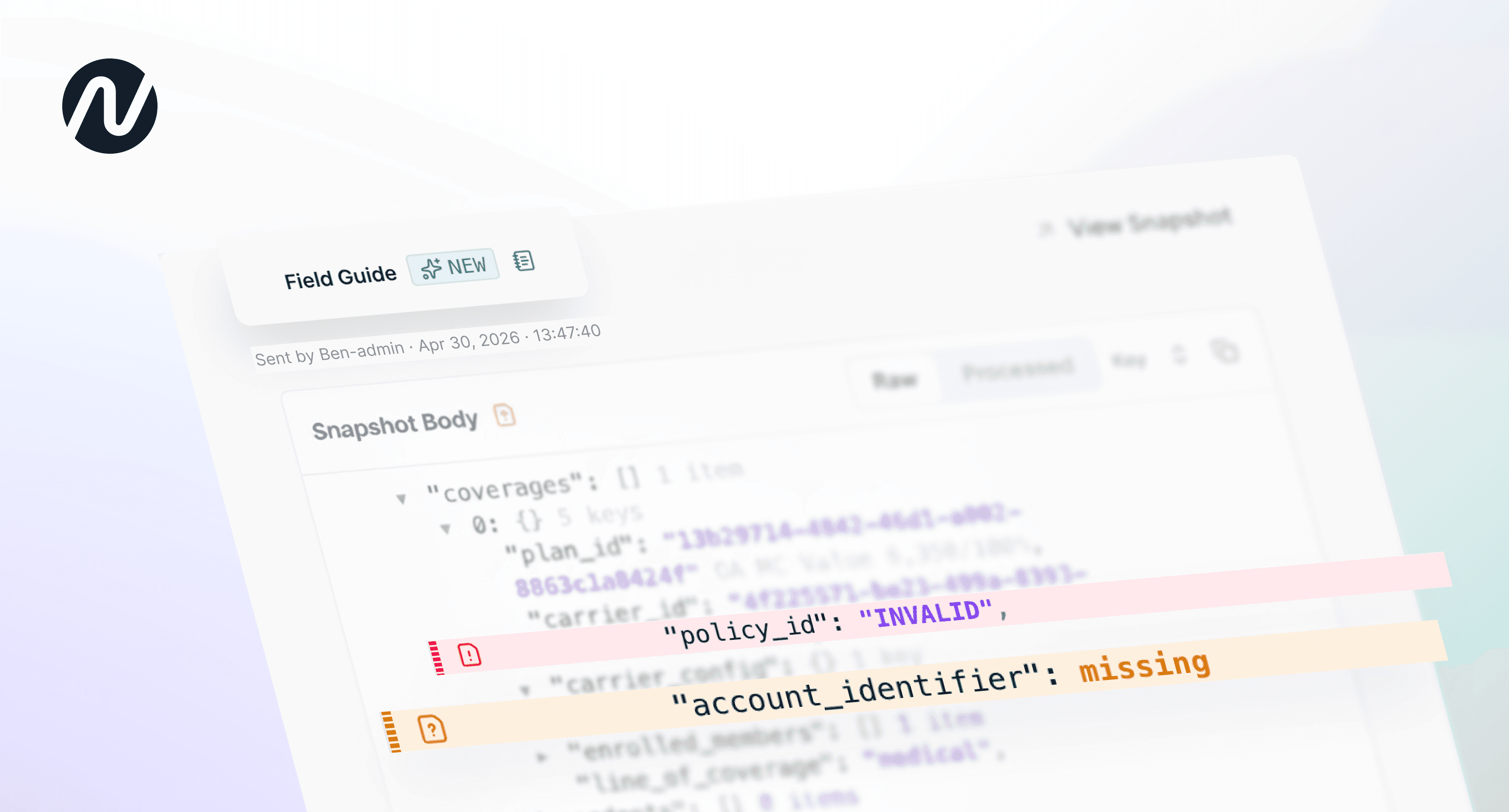
When an enrollment problem occurs, identifying the root cause is often the hardest part, requiring ben-admin teams to piece together carrier errors, enrollment records, and other systems to understand what to fix.
Today, we're introducing the Field Guide for Issues—a new feature that helps ben-admins quickly identify the exact data that's causing a problem.
The Field Guide displays the payload that triggered an Issue and visually references the data tied to the problem. Instead of working backwards from raw errors and data mismatches, users immediately see the precise fields that require attention, all in one place.
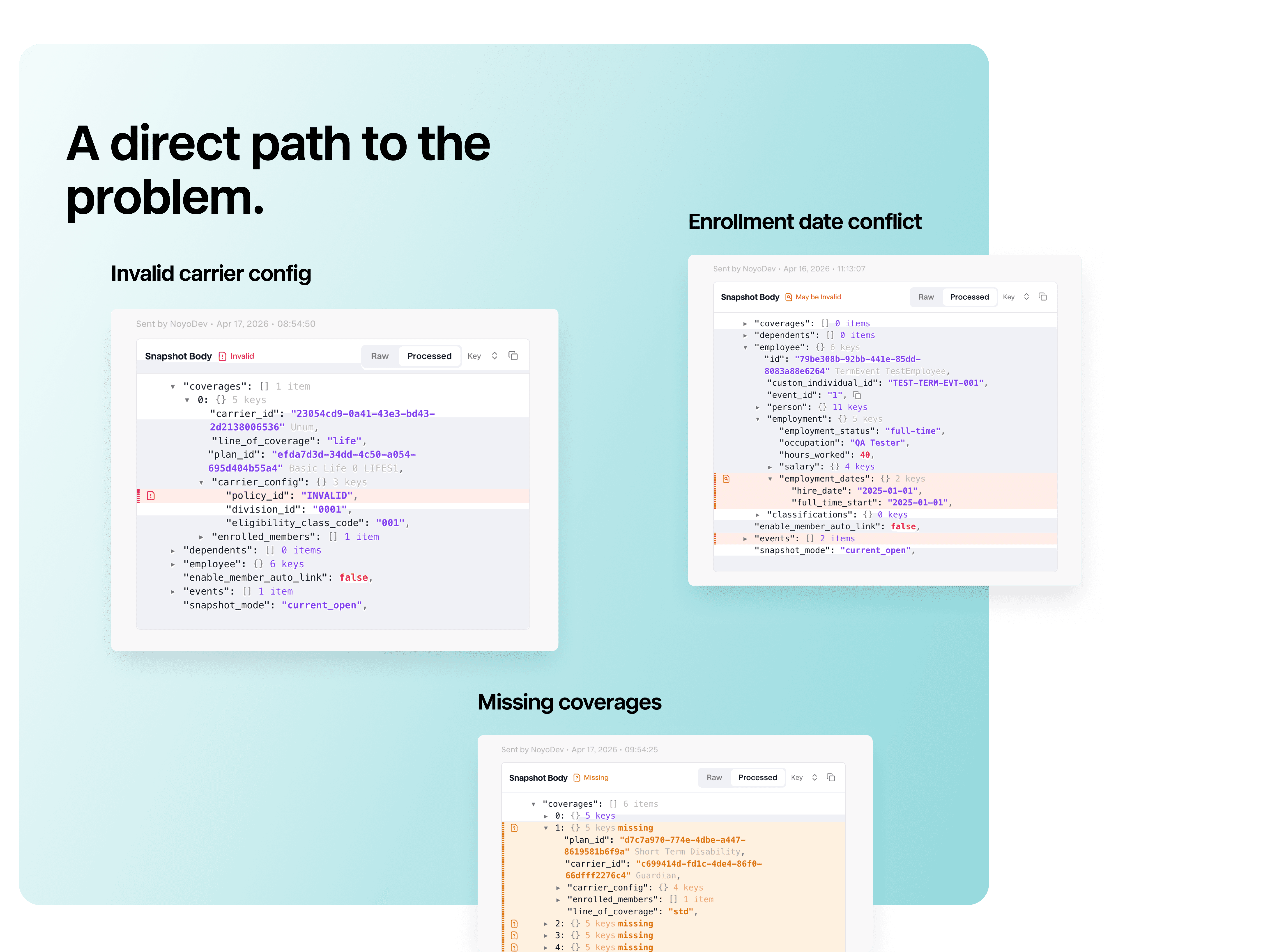
Bringing enrollment problems into focus
The references within the Field Guide are defined on the backend so the same Issue points to the same fields every time.
The Field Guide supports four types of references:
Invalid: Noyo has identified the specific field(s) that caused the Issue. For example, an invalid benefit class, bill group, or conflicting coverage dates. The highlighted field is the field that needs to be corrected.
May Be Invalid: Noyo has determined that multiple fields may be causing the Issue, but cannot know which are incorrect. For example, a ZIP code and state mismatch, or a duplicate enrollment where two records conflict. The highlighted fields help narrow the investigation to the relevant data.
Missing: Required information was not included in the Snapshot. Examples include missing coverages, carrier configuration values, volume amounts, SSNs, event blocks, and more. Missing fields are inserted into the Snapshot, and if Noyo knows what specific values should have been included, we'll populate those too.
Related: Additional context that helps explain or resolve the Issue. These fields don't need to be corrected, but provide useful information for investigation. For example, coverages associated with an Evidence of Insurability (EOI) review that require additional action to complete the enrollment.
For situations where the underlying error does not provide enough detail to confidently identify specific fields, Noyo still displays the full Snapshot body. This allows users to investigate the problem without navigating to additional pages.
Support for field-level guidance is rolling out for all Issues created from Snapshot Validations and Premier carriers.
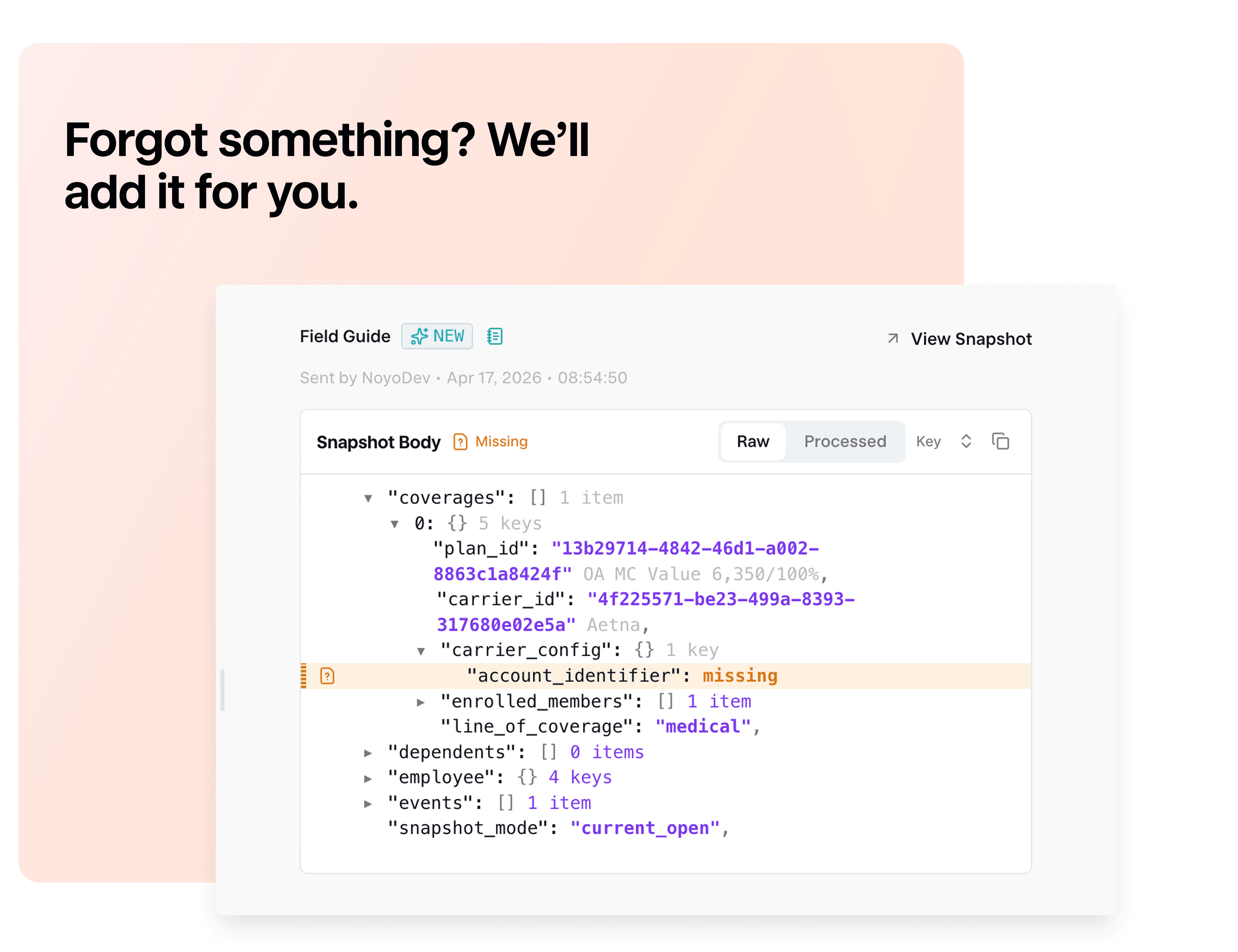
Visibility into every stage of enrollment processing
Raw and Processed Snapshot view
Users can toggle between the Raw Snapshot, which shows the exact data submitted by the ben-admin, and the Processed Snapshot, which reflects the enrollment payload after Noyo applies mapping rules, resolves carrier configuration values, and builds the final request sent to the carrier.
Visibility into both is important because some Issues originate from values that are resolved during processing rather than data explicitly included in the original inbound request. Users won't need to think about this complexity—the Field Guide always defaults to the most relevant view of the Snapshot.
However, both views are available, providing deeper insight into where problems occur.
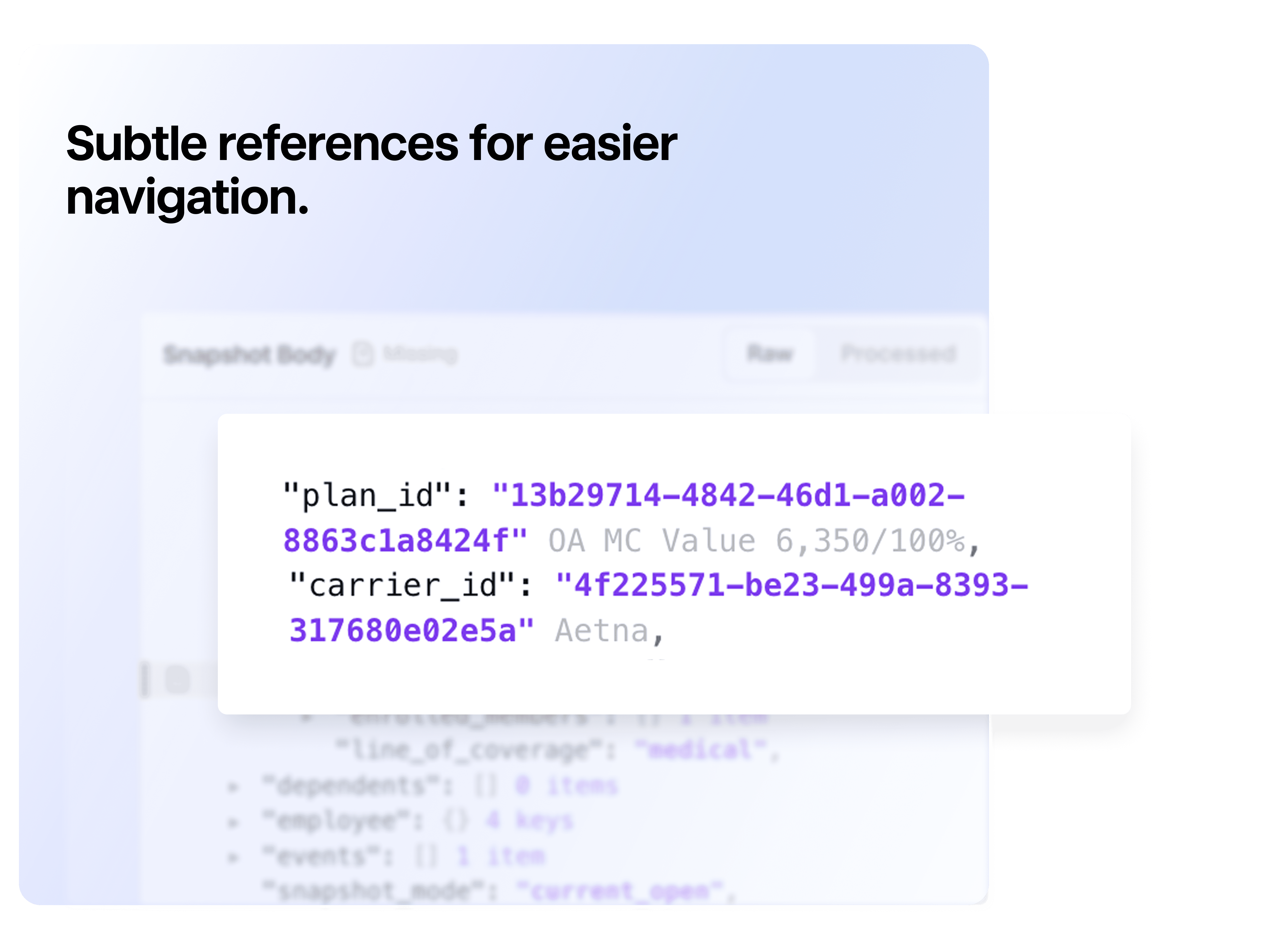
Contextual annotations
The Field Guide also includes annotations throughout the Snapshot body to make it easier to interpret and navigate.
Examples include:
Carrier names alongside carrier IDs
Plan names alongside plan IDs
Member names alongside identifiers
Event reasons alongside event IDs
These annotations reduce the need to cross-reference other systems so its easier to resolve problems from a single view.
What's next
Omitted coverages
The Field Guide will provide visibility into omitted coverages that trigger an issue. When omitted coverages are relevant to an Issue, the Field Guide will insert and label them, providing references to any invalid data they contain. This increases the level of transparency issues can offer and makes it easier to pinpoint the root problem.
No-code snapshot view
In addition to the raw/processed snapshot viewer, the Field Guide will organize the data within a snapshot into an easy-to-scan table view. Understand and action field guidance without viewing code.
Suggested values
Often Noyo knows the correct values or options when we discover missing and invalid data. We're exploring ways to surface intelligent recommendations directly within the Field Guide.
Want to learn more about modern data reconciliation with Noyo? See the original Issues release or reach out for a demo.
If you do benefits, you need Noyo
The future of employee benefits is faster, easier, and more automated. Are you ready?